Hello and thank you for choosing The Knowledge Coop for your Online CE.
This walkthrough will show you how to access your profile, complete your CE and access your certificate once your CE is completed.
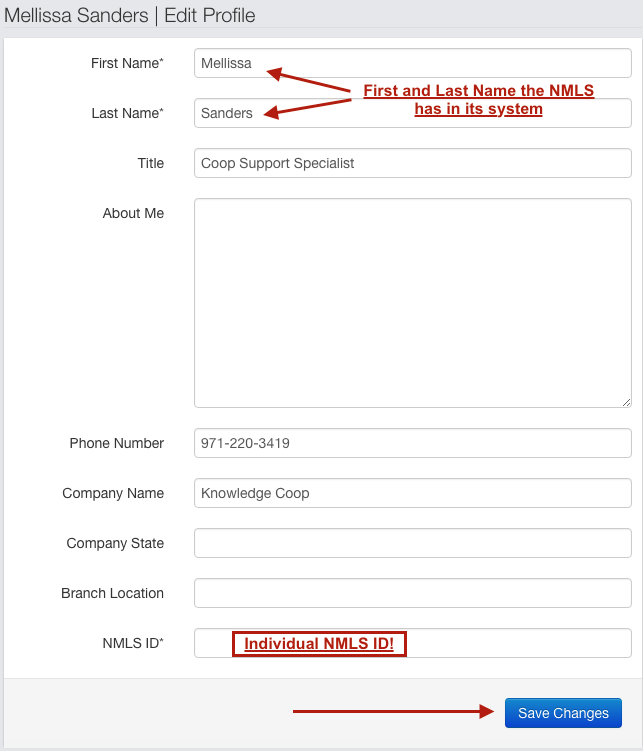
**It is extremely important that your profile is filled in with the EXACT SAME name the NMLS has for you in their system. We also need your Individual NMLS ID (not your company's). Without these we cannot bank your hours in a timely manner.**
You can watch the video for further assistance.
How to Navigate a CE Course from Mellissa Sanders on Vimeo.
Filling in your profile:
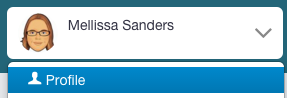
Click on your name drop down menu on the upper right of the screen

Click on Profile
Fill in your profile with the name the NMLS has for you on record as well as your individual NMLS ID and then click "Save Changes"
Here are some gifs of the above:


Completing the pieces of a CE Course:
First step: Click on Module 1
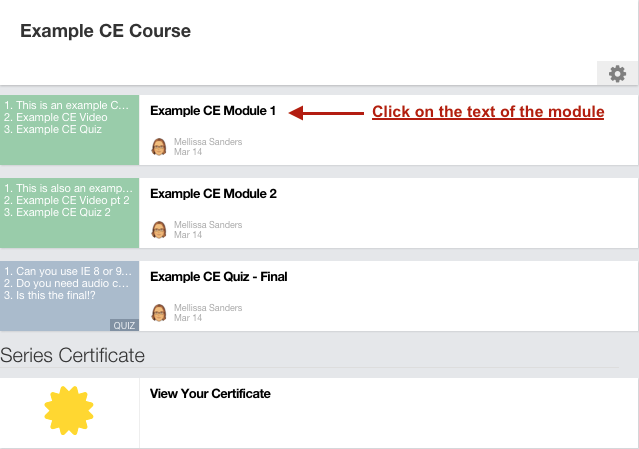
Second Step: Click on the first piece of content in the module
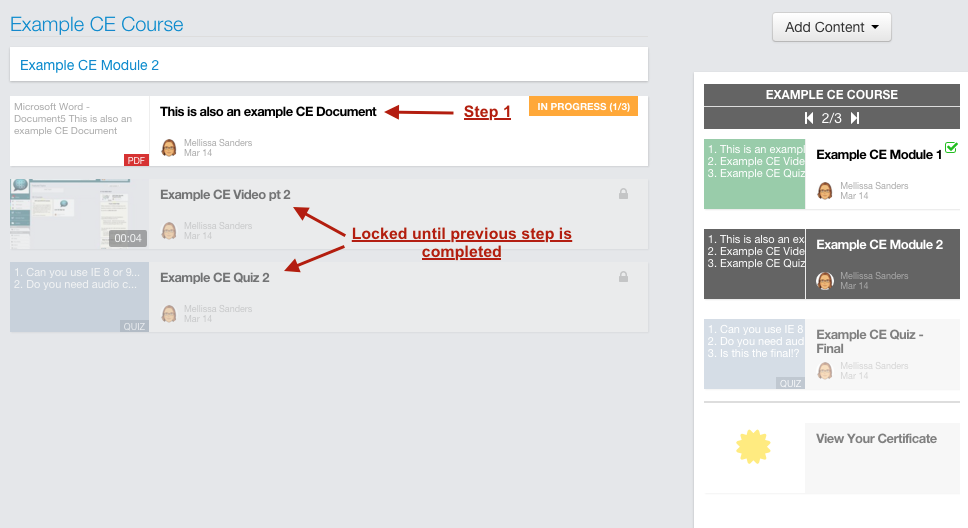
Third Step: Complete the pieces of content.
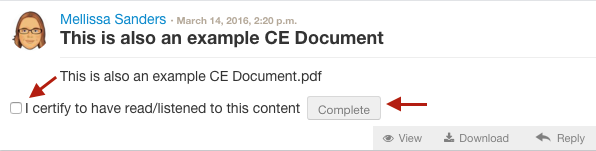
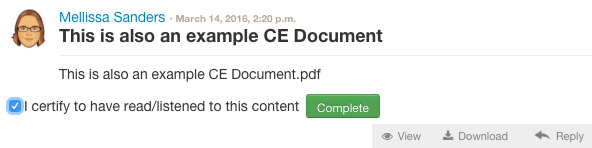
To complete a document click on "View". When this happens the document will open in a separate tab. Go to the top of your browser and click on the previous tab where your CE course is located. A new box will have appeared for your to be able to check and click complete.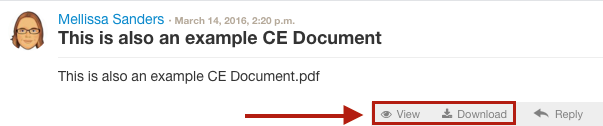

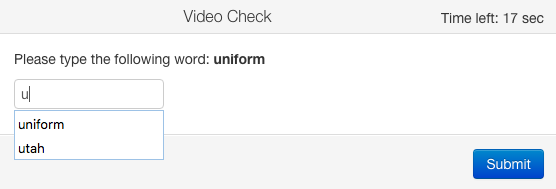
To complete a video you must watch the entire video. You cannot fast forward or rewind the video until it has been completed at least once. At the end of the video a dialog box will pop up. You have 18 seconds to type a word into the box. If you miss the timer or type the word incorrectly two times - you will need to watch the entire video again. We cannot force complete content.
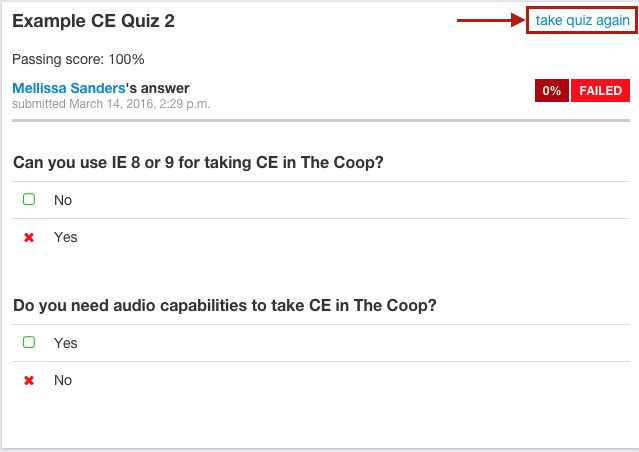
To complete a quiz - you must get the passing score. If you fail the quiz, there is an option at the top to retake it. Once the quiz is complete the system will move you out of the module you are in so you can move on.
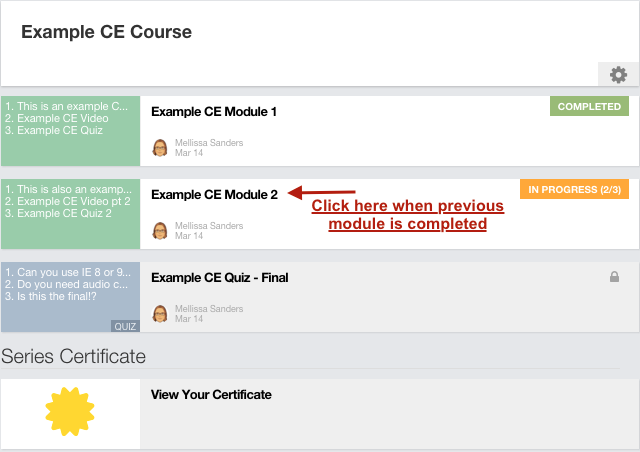
Fourth Step: Once a module has been completed you will need to click on the next module to move on.
Fifth Step: Complete the final quiz and Survey
Sixth Step: Click on your certificate. This is a crucial step as it tells the system you've completed the course and will allow us to bank your hours.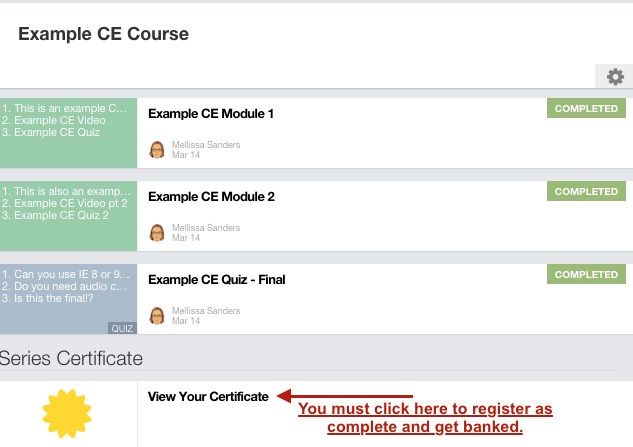
Here are gifs of each step in the CE Course:
Completing a document:

Completing a video:

Completing a Quiz:

Getting your certificate:

|
Rate this FAQ:
|
|||
|
